> For the complete documentation index, see [llms.txt](https://answeringservicecare.com/docs/llms.txt). Markdown versions of documentation pages are available by appending `.md` to page URLs; this page is available as [Markdown](https://answeringservicecare.com/docs/useful-resources/integrations/asc-zapier-app.md).
# ASC Zapier App
Connect your ASC account to Zapier to automate follow-up, notifications, and downstream tasks.
The ASC Zapier App connects your ASC account to Zapier for no-code automation.
Use it to reduce manual work, trigger follow-up tasks, and keep your team in sync.
See automation recipesView customer resources
### Best fit
Zapier is a good fit when you want to:
* pass ASC activity into another app
* trigger alerts, tasks, or follow-up workflows
* connect teams without building a custom integration
### Common use cases
Typical Zapier workflows include:
* create a task after a new ASC event
* send internal notifications when new activity needs follow-up
* keep downstream tools updated with ASC account activity
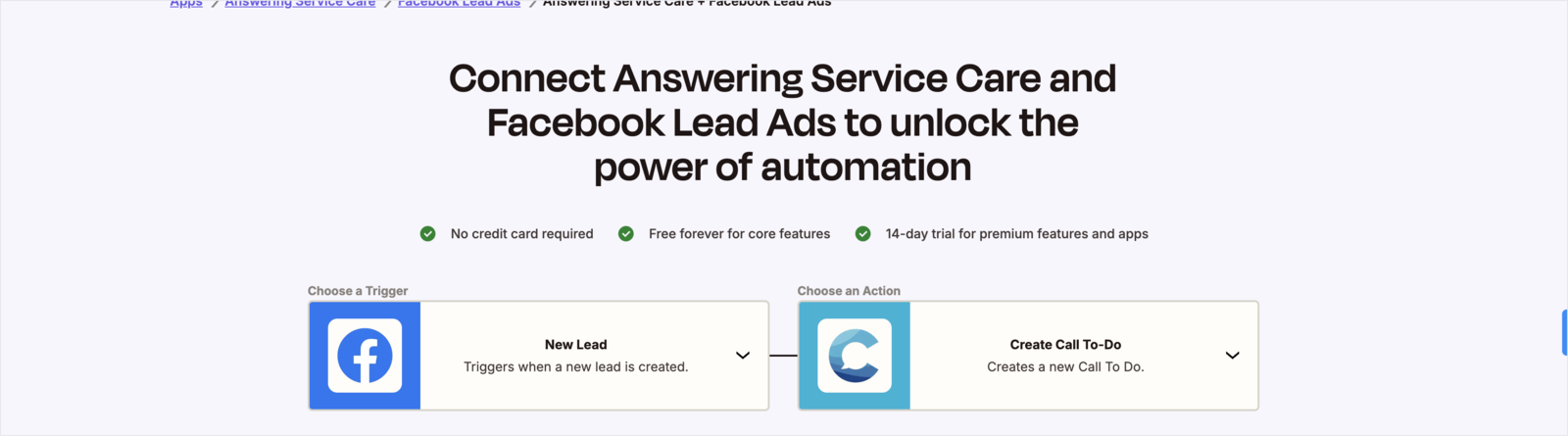
Example: turn each new Facebook lead into a Call To Do automatically.
### Before you start
Confirm these basics first:
* the destination app and workflow are defined clearly
* you have access to the ASC account and Zapier
* the workflow is a good fit for Zapier-based automation
{% hint style="info" %}
Use the setup guide first. If you need account-specific help, contact ASC through your normal support channel.
{% endhint %}
### Connect ASC to Zapier
Connecting takes two short steps: get your ASC API token, then add the connection in Zapier.
{% stepper %}
{% step %}
### Find your API token
In the ASC Client Portal, click your name in the top corner and select **My Profile**, then open **Application Keys** and copy your **API Token**.
{% endstep %}
{% step %}
### Add the connection in Zapier
Log in to (or create) a free [Zapier](https://zapier.com) account. Go to **Apps → Add connection**, search for **Answering Service Care**, and select it.
{% endstep %}
{% step %}
### Authorize and label
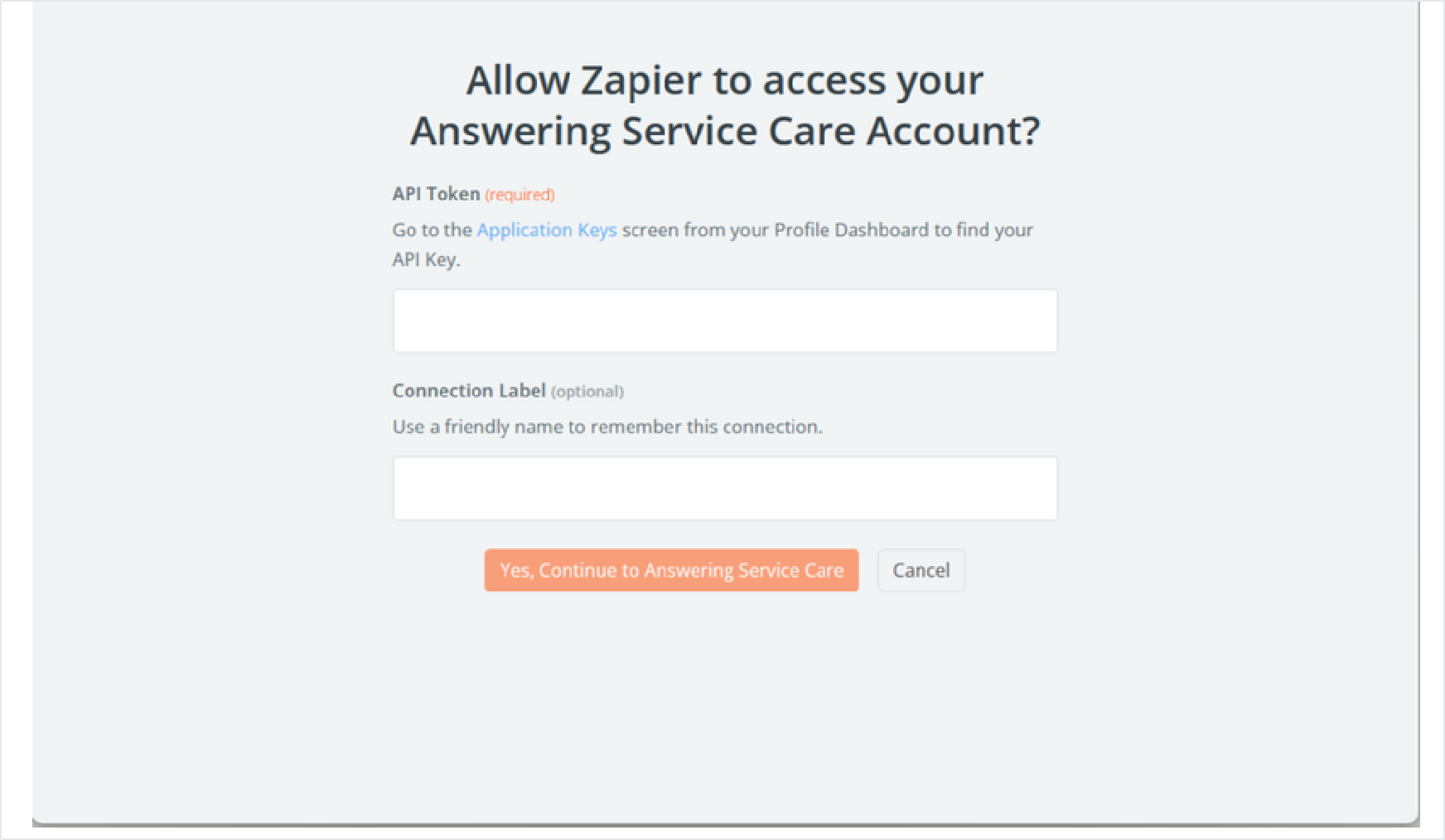
Paste your API Token when prompted, add an optional **Connection Label** to identify it, then select **Yes, Continue to Answering Service Care**.
{% endstep %}
{% step %}
### Build your Zaps
Once connected, build Zaps that use ASC's triggers and actions together with your other apps.
{% endstep %}
{% endstepper %}
Zapier's connection screen: paste your ASC API token and an optional label.
For the full list of triggers, actions, and example recipes, see the [automation reference](https://answeringservicecare.com/docs/api-reference/api-clients/zapier).
### How to approach setup
1. identify the ASC event or data you want to use
2. confirm the destination action in Zapier
3. review the ASC instructions and confirm the fit
4. validate the workflow before rollout
### When to use a custom API instead
Use a custom API workflow instead of Zapier when you need:
* more control over payload structure
* account-specific business logic
* tighter error handling
* higher-volume or more sensitive integrations
* stricter handling requirements
For technical implementation details, use the API reference.
### Related ASC resources
Use these links to support setup and validation:
* [Client Portal guide](/docs/app/client-portal.md)
* [How to test your account](https://answeringservicecare.com/how-to-test-your-account/)
* [FAQ](https://answeringservicecare.com/why-asc/faq/)
* Customer resources
---
# Agent Instructions
This documentation is published with GitBook. GitBook is the documentation platform designed so that both humans and AI agents can read, navigate, and reason over technical content effectively. Learn more at gitbook.com.
## Querying This Documentation
If you need additional information that is not directly available in this page, you can query the documentation dynamically by asking a question.
Perform an HTTP GET request on the current page URL with the `ask` query parameter, and the optional `goal` query parameter:
```
GET https://answeringservicecare.com/docs/useful-resources/integrations/asc-zapier-app.md?ask=&goal=
```
`ask` is the immediate question: it should be specific, self-contained, and written in natural language.
`goal` is optional and describes the broader end goal you are ultimately trying to accomplish on behalf of the user. GitBook uses it to tailor the answer towards what is most useful for that goal.
The response will contain a direct answer to the question and relevant excerpts and sources from the documentation.
Use this mechanism when the answer is not explicitly present in the current page, you need clarification or additional context, or you want to retrieve related documentation sections.